> For the complete documentation index, see [llms.txt](https://help.botpenguin.com/llms.txt). Markdown versions of documentation pages are available by appending `.md` to page URLs; this page is available as [Markdown](https://help.botpenguin.com/bots/whatsapp-bot/manage-chatflow.md).
# Manage Chatflow
The Edit & Manage Chatflow section allows you to design, customize, and control how your chatbot interacts with users through structured conversational flows.
The **Edit and Manage Chatflow** section allows you to view, update, organize, and control all conversation flows created for your chatbot. From here, you can fine-tune how your bot interacts with users by editing messages, managing multiple flows, and defining how and when each flow is triggered.
This section is essential for maintaining accurate, engaging, and goal-driven chatbot conversations.
***
### What You Can Do Here
Using the **Edit and Manage Chatflow** page, you can:
* Edit existing chat flows
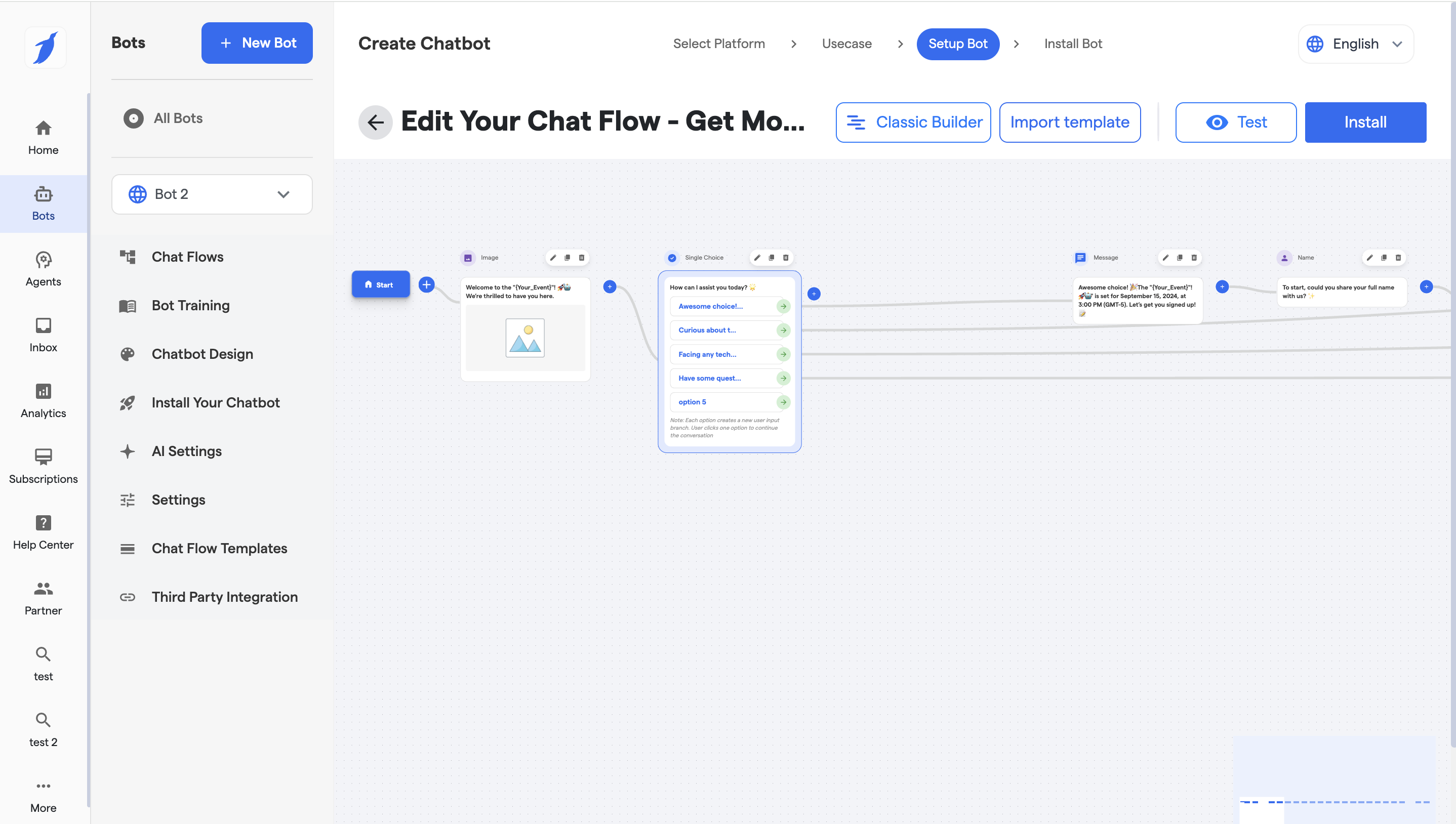
* Clicking on Visualise Flow will switch the mode.
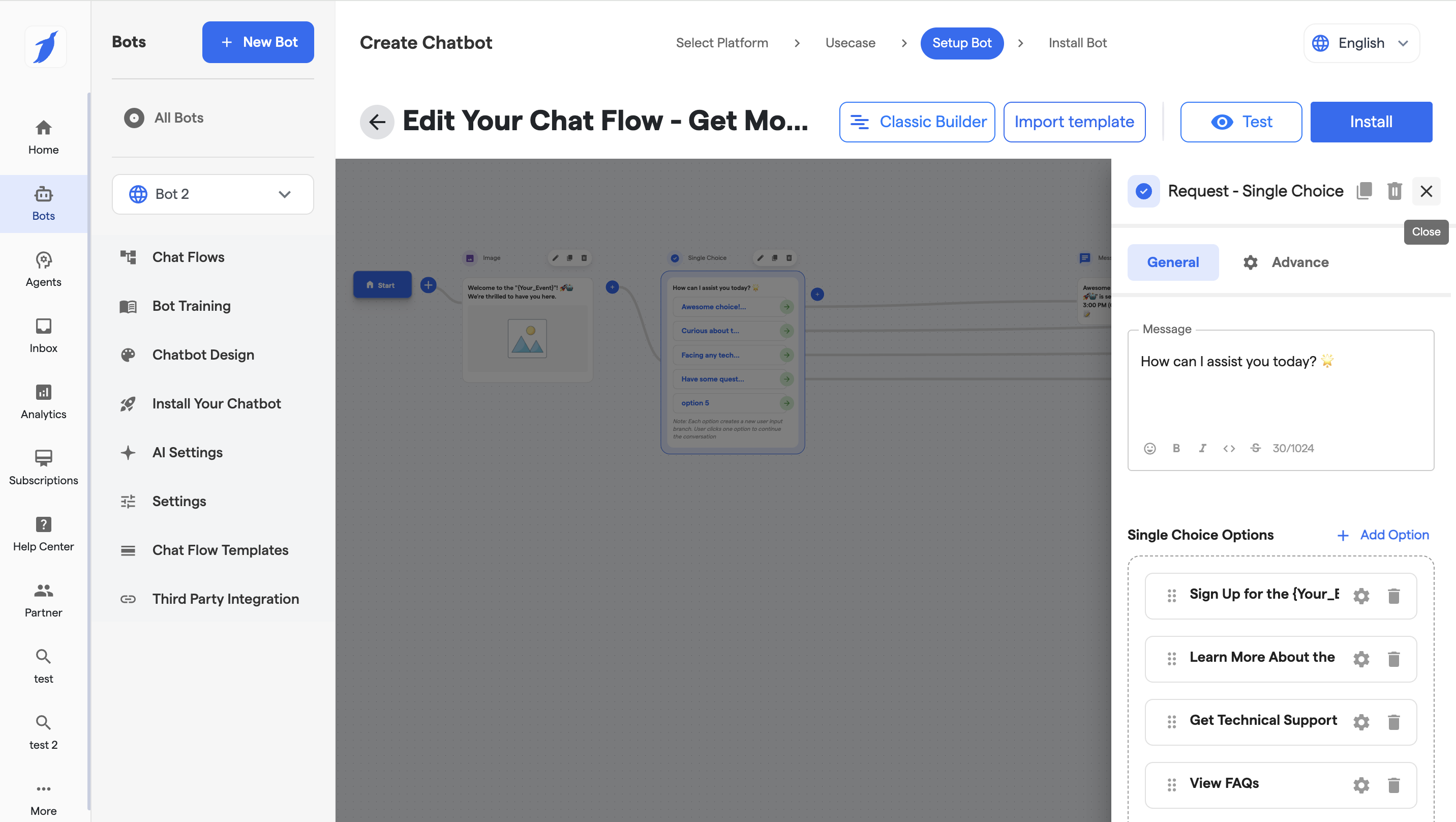
* Double Click on the Component to open the Configure window of the particular Component.
* Configure the General and Advance settings of the particular component.
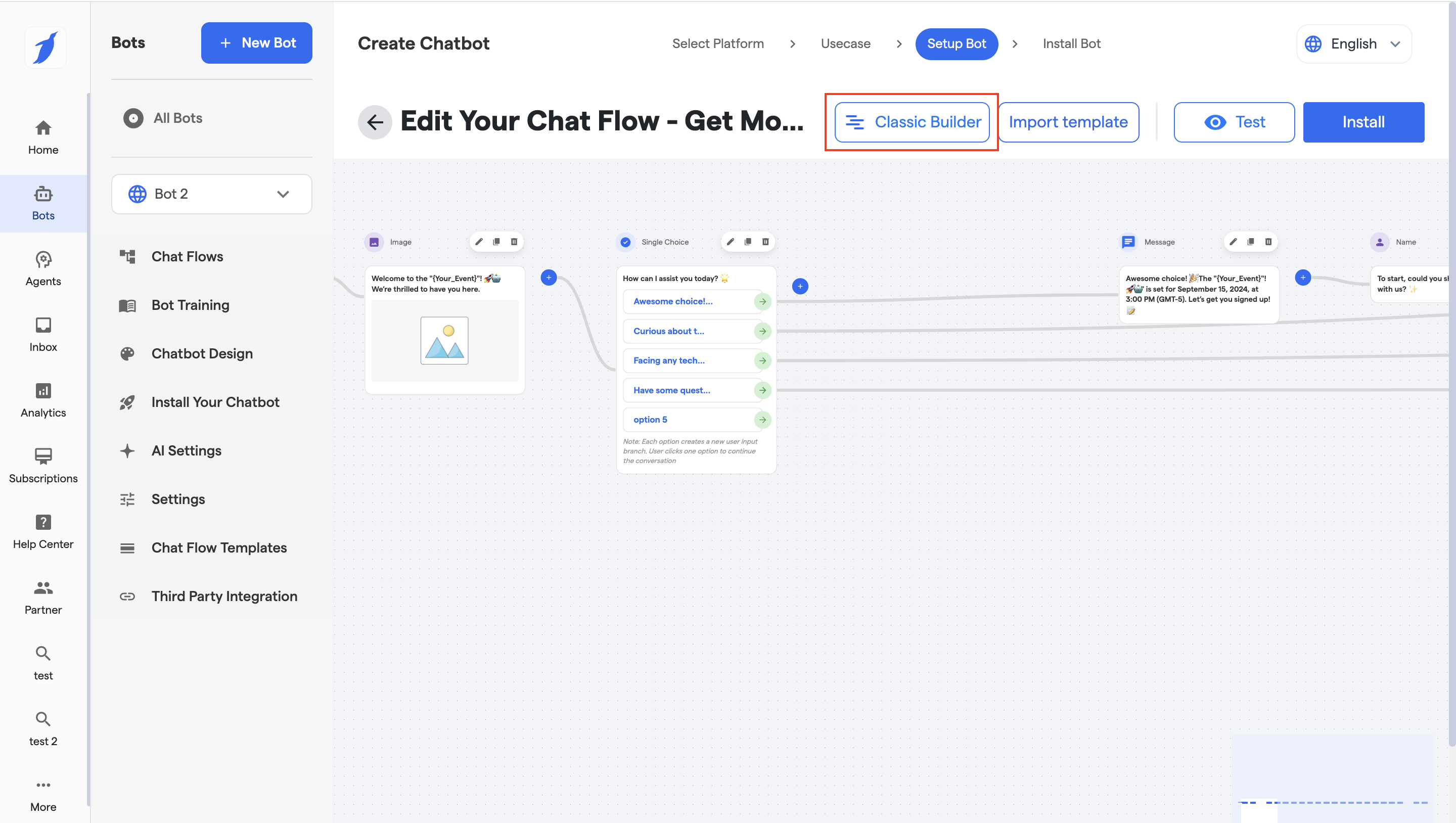
* Click on Classic Builder button to switch to Classic mode.
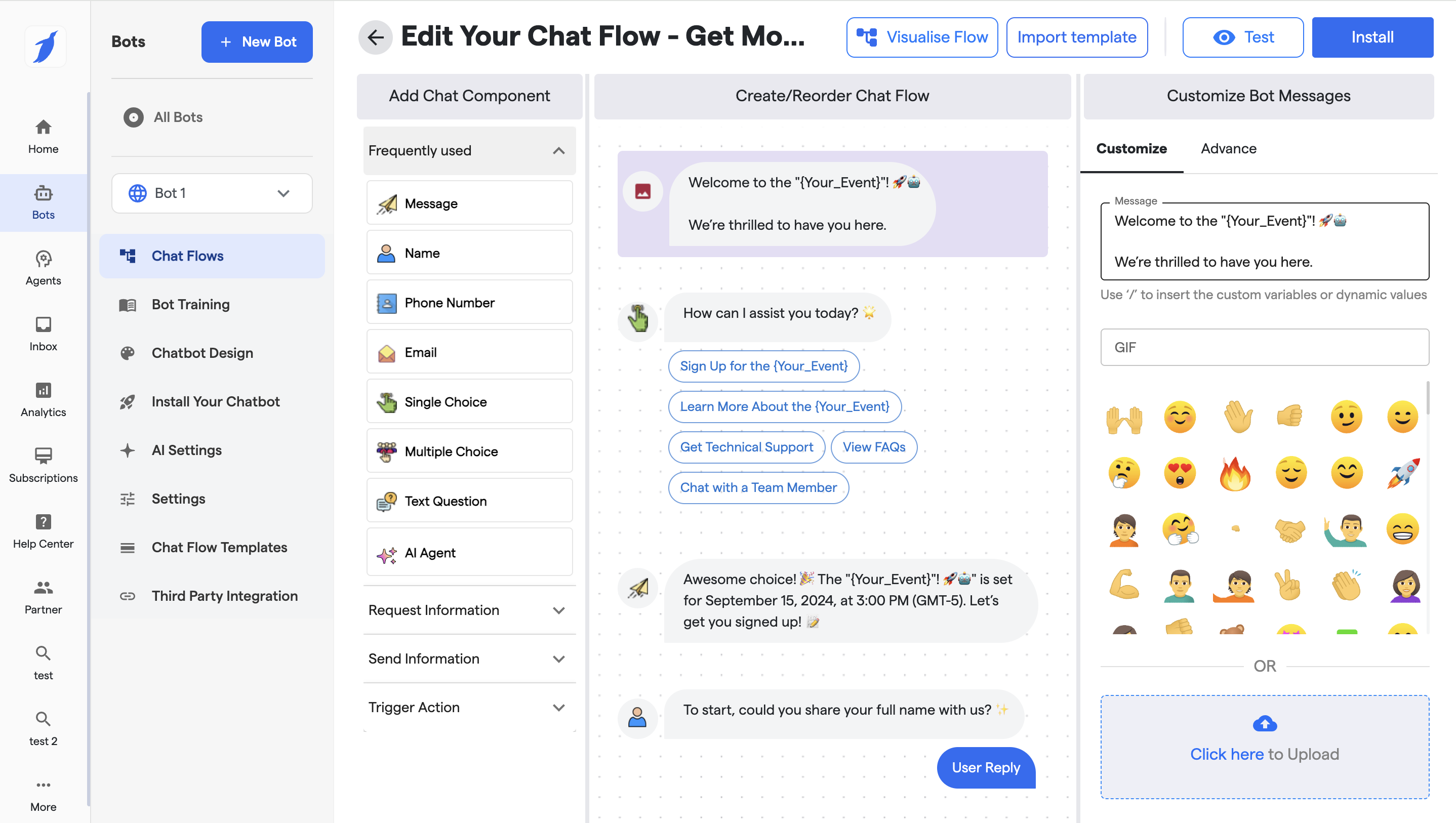
9. And the mode will be switched to classic.
* Create and manage multiple flows with the help of Redirect Component
{% content-ref url="/pages/jzLp2bNO8Vfu8ccFft7b" %}
[Multiple Flows (Redirect Component)](/bots/website-mobile-app-bot/website-manage-chatflow/multiple-flows-redirect-component.md)
{% endcontent-ref %}
* Set a default chat flow
* Enable or disable revisit flows
* Import and export chat flows
{% content-ref url="/pages/zG4xrIQa2ul08dJXDVpe" %}
[Create Chatflow](/bots/website-mobile-app-bot/website-manage-chatflow/create-chatflow.md)
{% endcontent-ref %}
{% content-ref url="/pages/j4bmyhJP102ZPIbXx43y" %}
[Components in Chatflow](/bots/website-mobile-app-bot/website-manage-chatflow/components-in-chatflow.md)
{% endcontent-ref %}
* Delete unused or outdated flows
### FAQs
Can I edit a live chat flow?
Yes. Any saved changes are applied immediately to the chatbot.
Can I have multiple chat flows?
Yes. You can create and manage multiple flows, but only one can be the default.
What happens if I delete a flow?
The flow is permanently removed and cannot be restored.
Can I reuse chat flows in another bot?
Yes. Download the flow and import it into another bot of the same type.
Why should I use revisit flows?
Revisit flows allow returning users to access the same conversation again, improving continuity and user experience.