
Calendly
Connect Calendly so your chatbot can help visitors book meetings without leaving the chat.
What is Calendly Integration?
The Calendly Integration allows you to connect your Calendly account directly with your BotPenguin chatbot. It acts as a bridge between your bot and your scheduling workflows, enabling the bot to help visitors book meetings and appointments without leaving the conversation.
Benefits of Calendly Integration
🚀 Lets your chatbot help visitors schedule meetings directly within the conversation.
⚙️ Removes the need for visitors to switch tools or tabs to book time with you.
🔗 Connects your existing Calendly account in just a few clicks — no manual setup on Calendly's side.
🧠 Reduces scheduling back-and-forth by automating the booking step.
📈 Improves lead conversion by making it easier for prospects to get on your calendar.
How to Use Calendly Integration
Prerequisites
Before setting up the Calendly integration, ensure:
You have an active BotPenguin account.
You have a Calendly account you want to connect (or a Google account linked to one).
Connecting Calendly
Log in to your BotPenguin account.
On the left-hand sidebar, click on "More".
Click on "Third Party Apps."
Find the Calendly integration — either by scrolling through the list of integrations, or by searching for "Calendly" in the search bar.
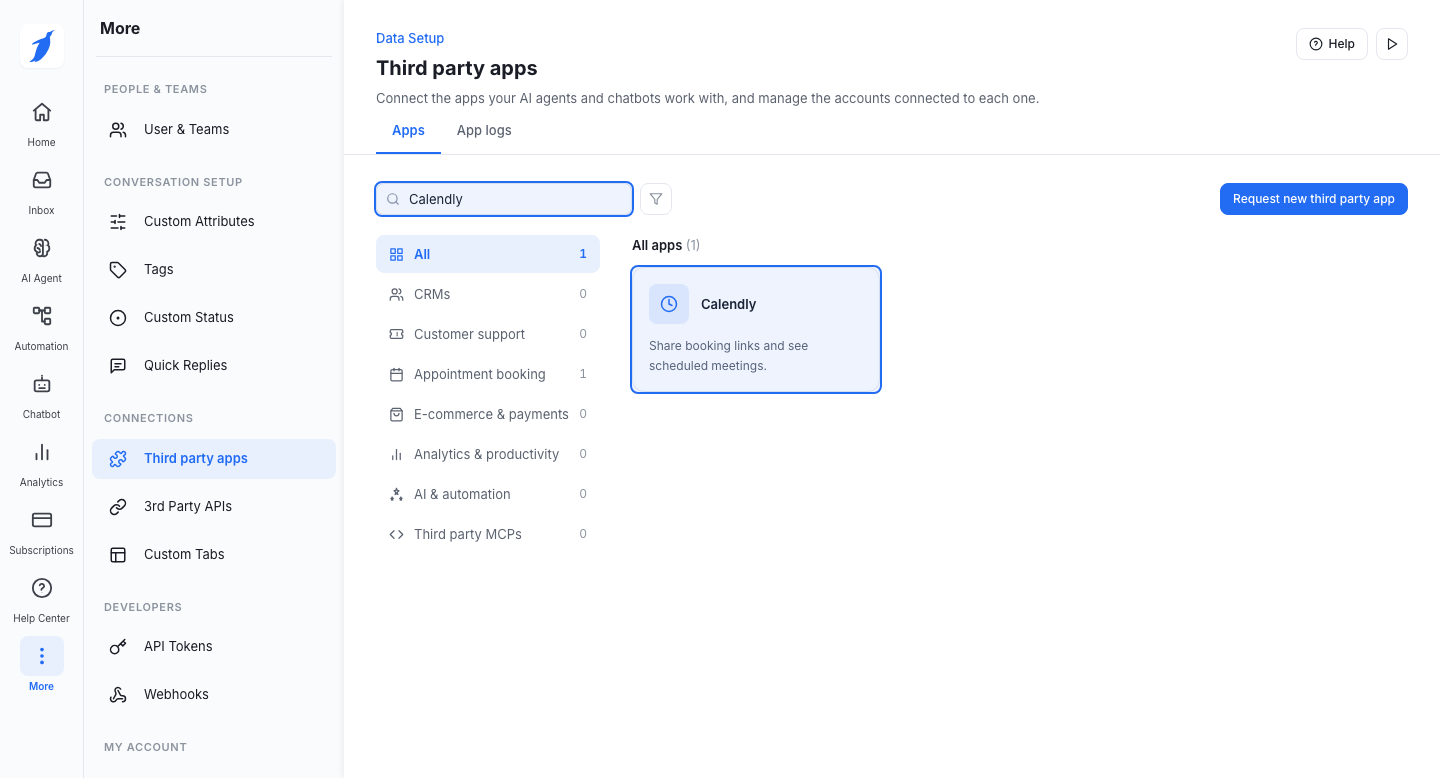
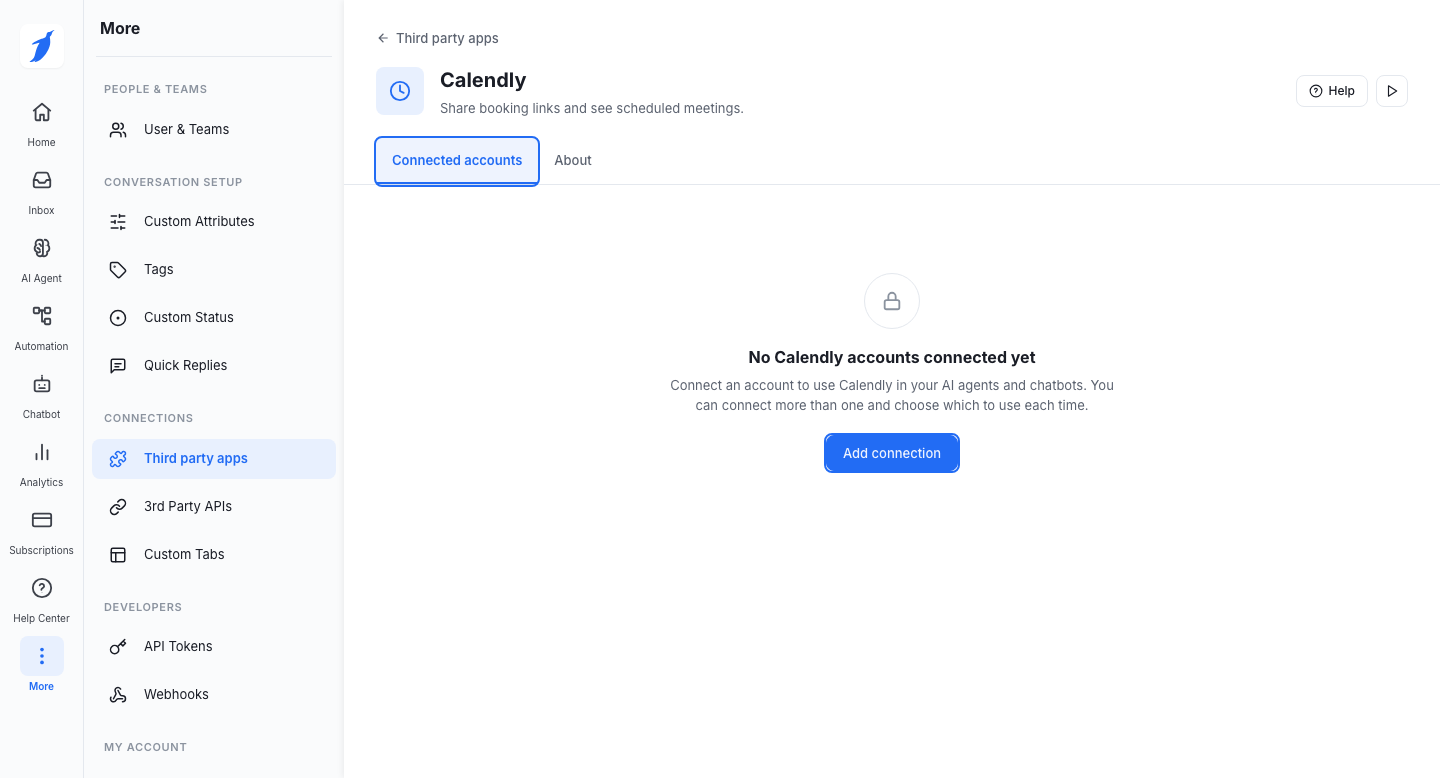
Click on the Calendly integration, and then click on the "Add Connection" button.
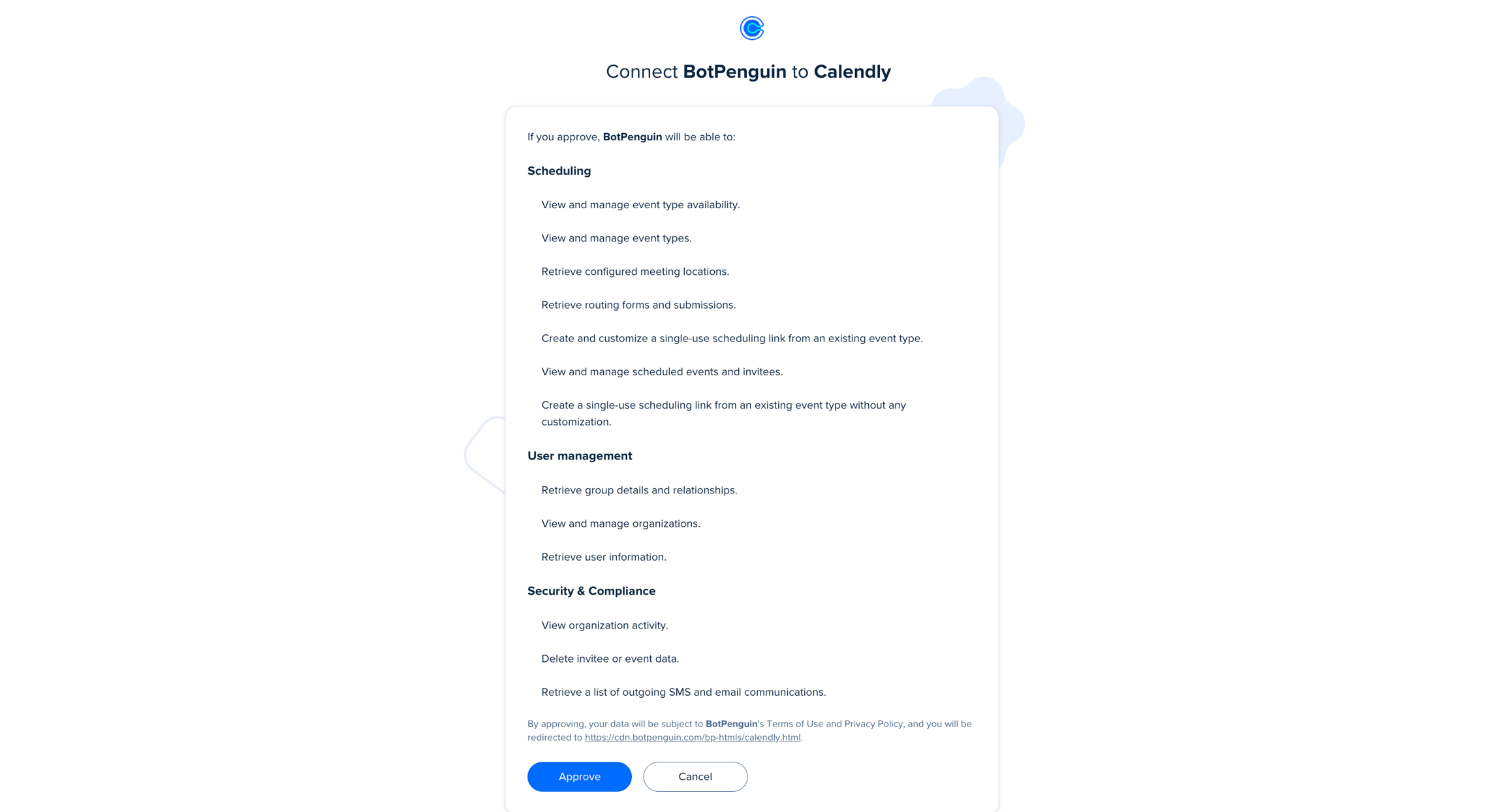
You'll be taken to Calendly's OAuth window. Log in to the Calendly account you want to connect — either with your Calendly credentials, or with "Login with Google."
Review the permissions Calendly is requesting, and click "Approve" to grant BotPenguin access.
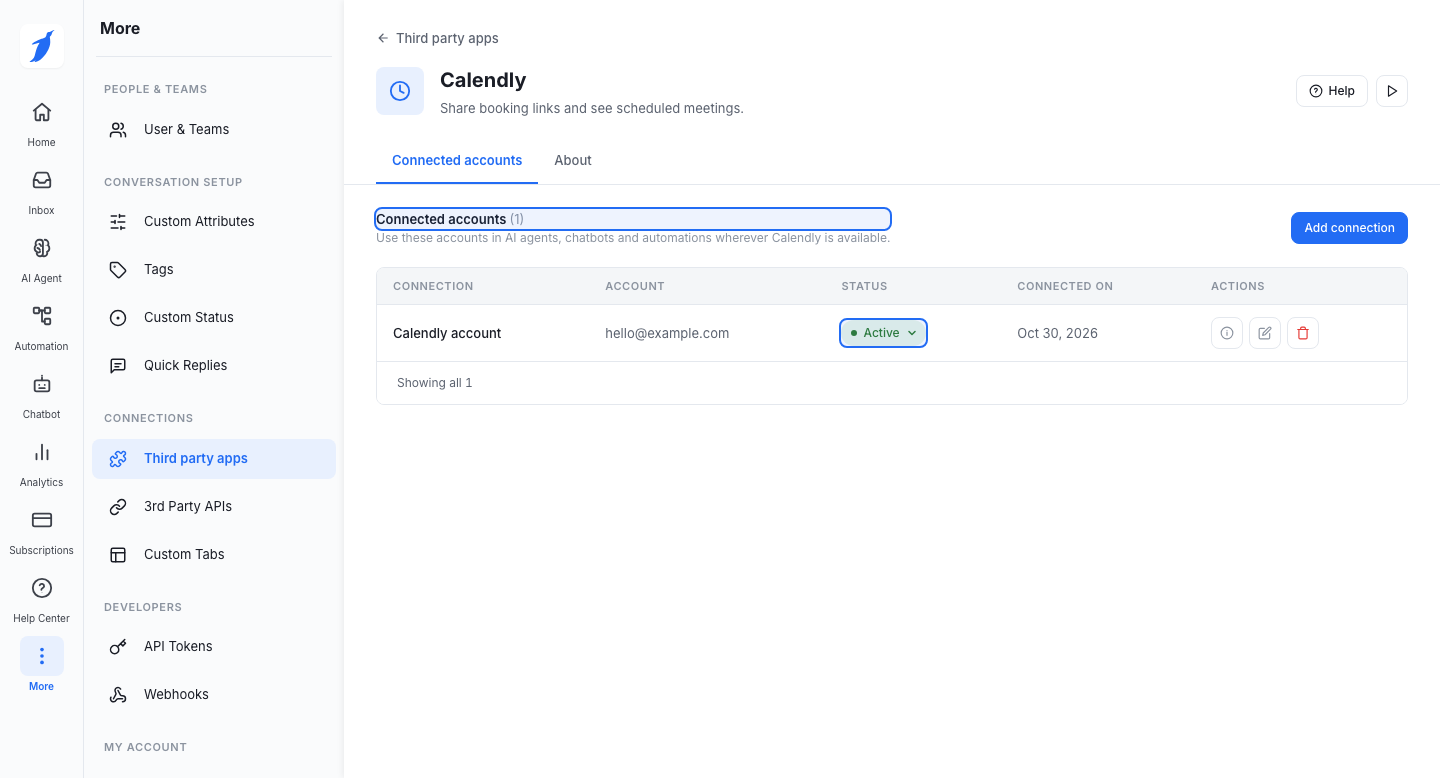
You'll be redirected back to your BotPenguin chatbot screen, where a new configuration entry will now appear in the integrations table — confirming that Calendly has been successfully connected.
Calendly FAQs
If you still have questions for our team, write to us at support@botpenguin.com. We'll get back to you within 48 hours.
Last updated