
Zapier MCP
Connect Zapier's MCP server so your agent can run the Zaps and actions you choose.
Zapier MCP lets your AI agent run the Zaps and actions that you make available in Zapier. For example, it can trigger a Zap from a conversation or list the actions you made available. You connect it once in Third party apps. Zapier asks you to sign in and approve access, and the configuration is added.
Prerequisites
A BotPenguin account with access to the More menu. [CHECK: confirm the plan and role needed to add a connection.]
A Zapier account with the actions you want to share. [CHECK: confirm that MCP is enabled in the Zapier account.]
A pop-up blocker that allows the Zapier sign-in window.
Key Definitions
MCP
Model Context Protocol. A standard way for an AI agent to use the tools of another app.
MCP server URL
The address of the MCP server. BotPenguin fills it in for you.
Tool
An action that the app publishes. The app decides which tools exist.
Connection
One saved account that your agents can use.
Steps
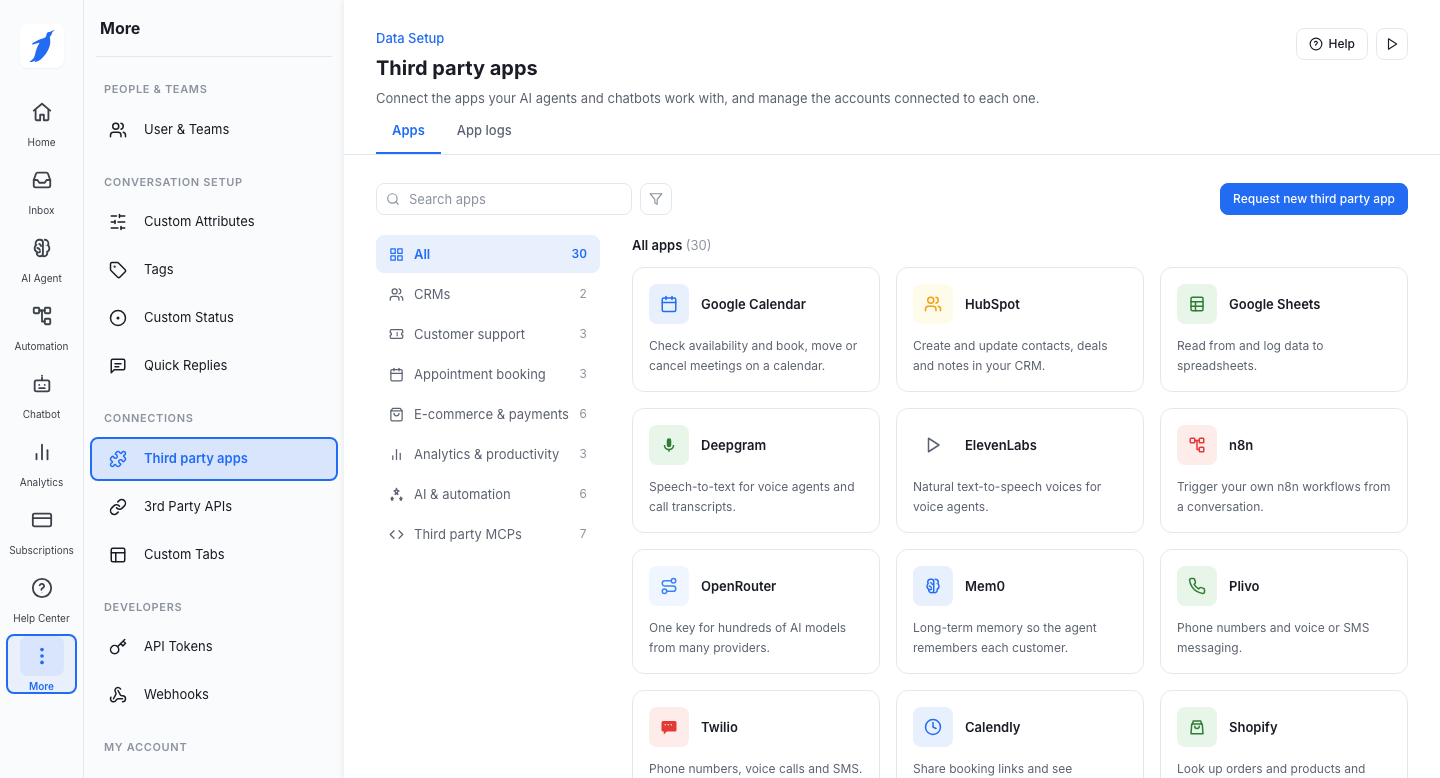
Click More in the left menu, then click Third party apps.
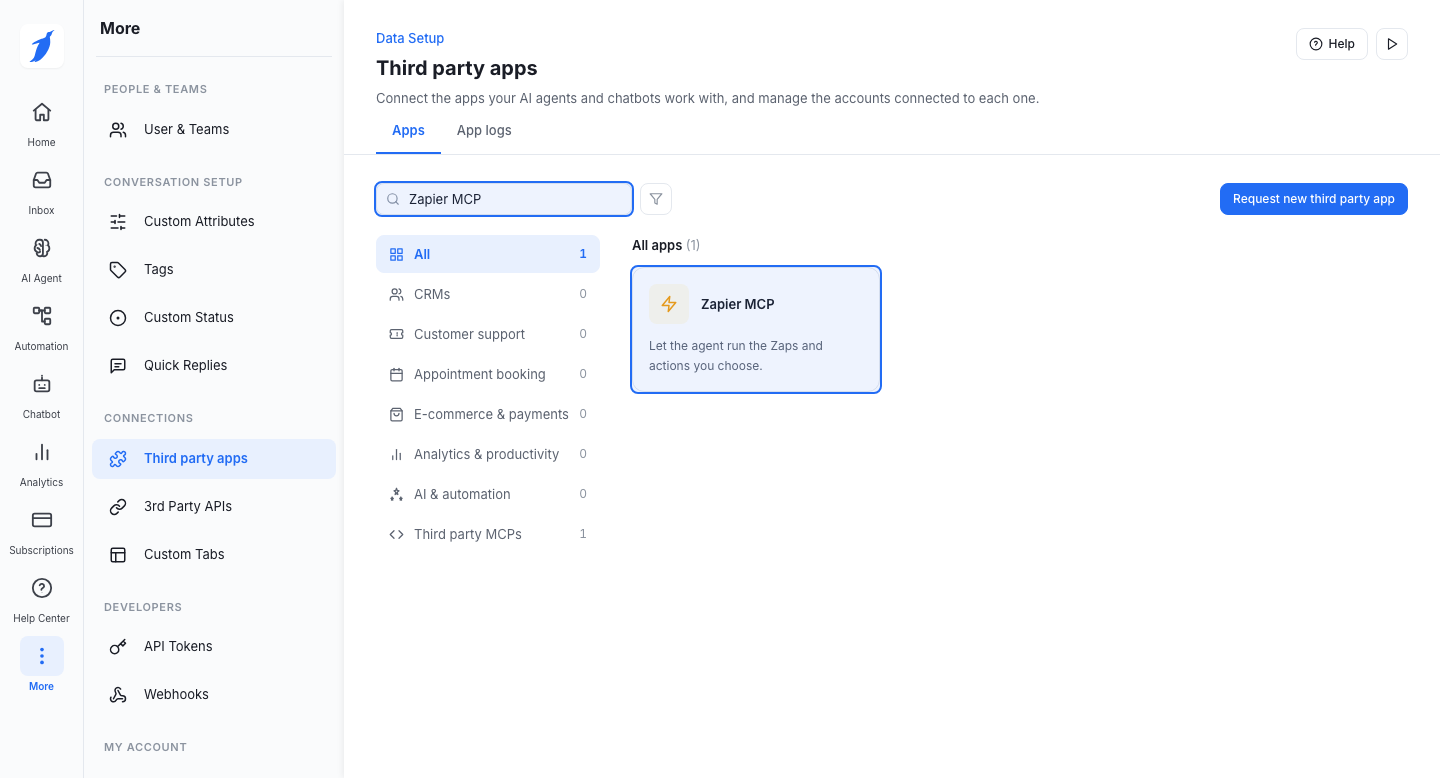
Type Zapier MCP in the search box, then open the Zapier MCP card.
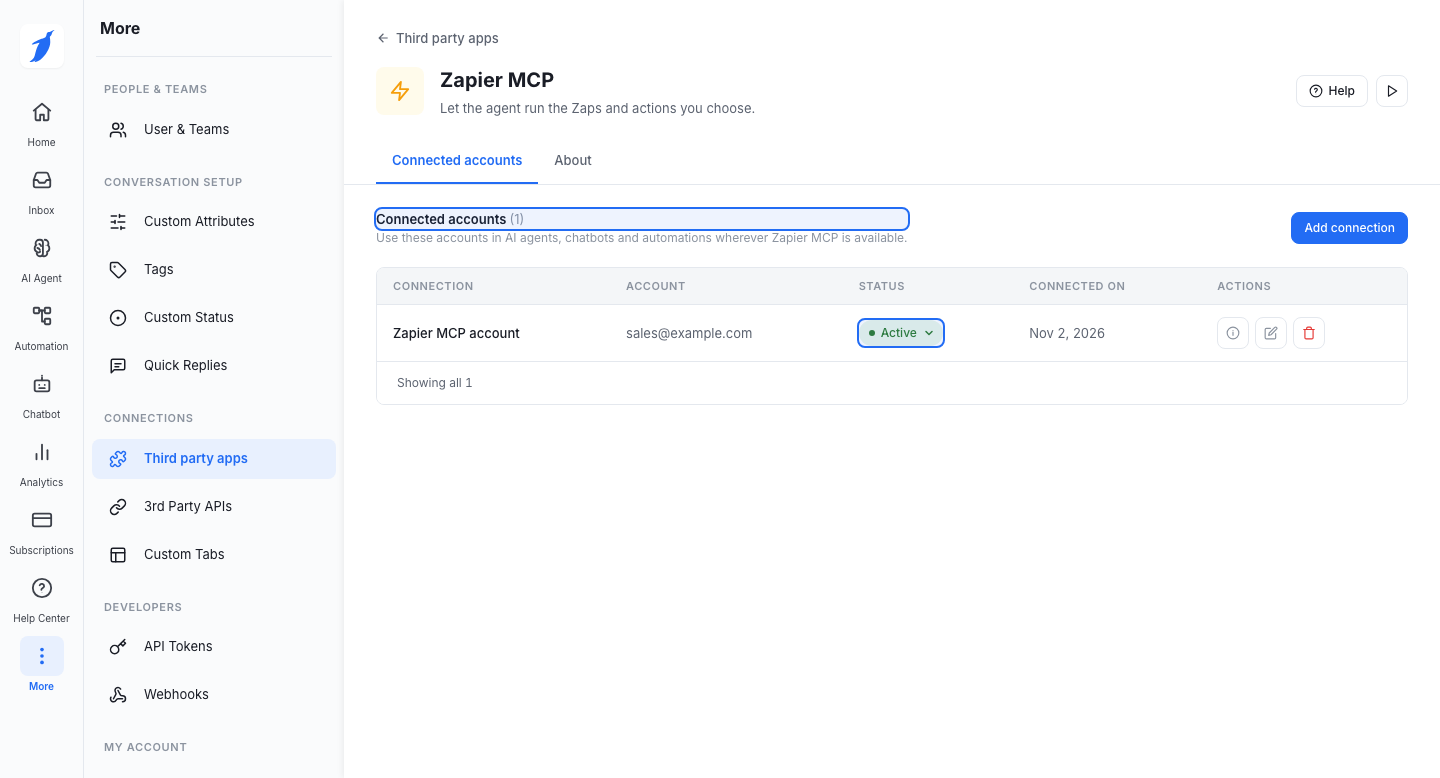
On the Connected accounts tab, click Add connection.
Add the configuration name, and (OAuth) in another window. Sign in and approve access.

When the sign-in is finished, the configuration is added. Check the Connected accounts tab. Your Zapier MCP account appears in the list with an Active status.
Common Errors
Support
Still not working? Write to us at support@botpenguin.com. We will reach out to you within 24 hours.
Last updated