> For the complete documentation index, see [llms.txt](https://help.botpenguin.com/llms.txt). Markdown versions of documentation pages are available by appending `.md` to page URLs; this page is available as [Markdown](https://help.botpenguin.com/faqs/meta-ads.md).
# Meta Ads
Meta Click-to-WhatsApp Ads allow you to run ads on Facebook or Instagram that open a WhatsApp chat when users click them.
### Overview
Meta Ads integration allows you to connect your Facebook and Instagram ads with BotPenguin, enabling automated WhatsApp conversations from ad clicks. This helps you instantly engage leads, qualify them, and drive conversions using chatbots.
***
### What Is Meta Ads?
Meta Ads are advertisements run on:
* **Facebook**
* **Instagram**
* **Messenger**
When integrated with BotPenguin, users clicking your ads can be redirected to **WhatsApp**, where a bot automatically starts the conversation.
***
### Use Cases
Use Meta Ads integration if you want to:
* Capture leads directly on WhatsApp
* Auto-reply to ad-generated inquiries
* Qualify leads using chatbots
* Reduce manual follow-ups
* Increase ad conversion rates
***
### Prerequisites
Before setting up Meta Ads, ensure:
* ✔ Active Facebook account
* ✔ Facebook Business Manager access (Admin recommended)
* ✔ Active Meta Ads account
* ✔ WhatsApp Business number connected to BotPenguin
* ✔ Approved WhatsApp templates (recommended)
* ✔ Payment method added to Meta Ads account
***
### How Meta Ads Work with BotPenguin
1. User clicks a Facebook or Instagram ad
2. The ad redirects the user to WhatsApp
3. BotPenguin automatically triggers a chatbot flow
4. Bot qualifies the lead or shares information
5. Conversation continues via automation or manual agent
### Step-by-Step Setup
#### Step 1: Create a WhatsApp Chatbot
* Log in to **BotPenguin**
* Create or select a WhatsApp bot
* Ensure the bot is active
***
#### Step 2: Connect Meta Ads Account
* Go to **Integrations** → **Meta Ads**
* Click **Connect**
* Log in to your Facebook account
* Grant required permissions
***
#### Step 3: Create Click-to-WhatsApp Ad
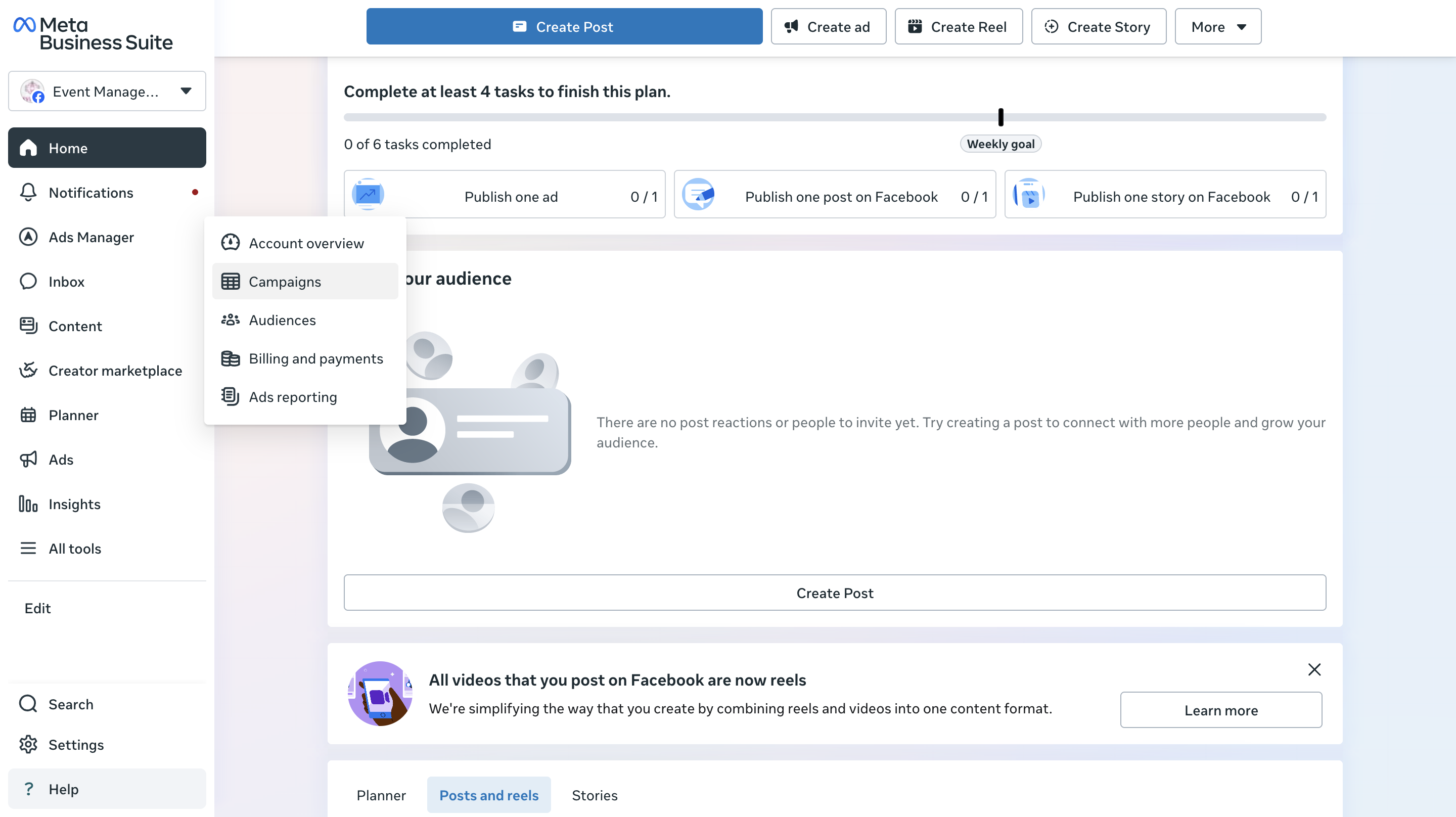
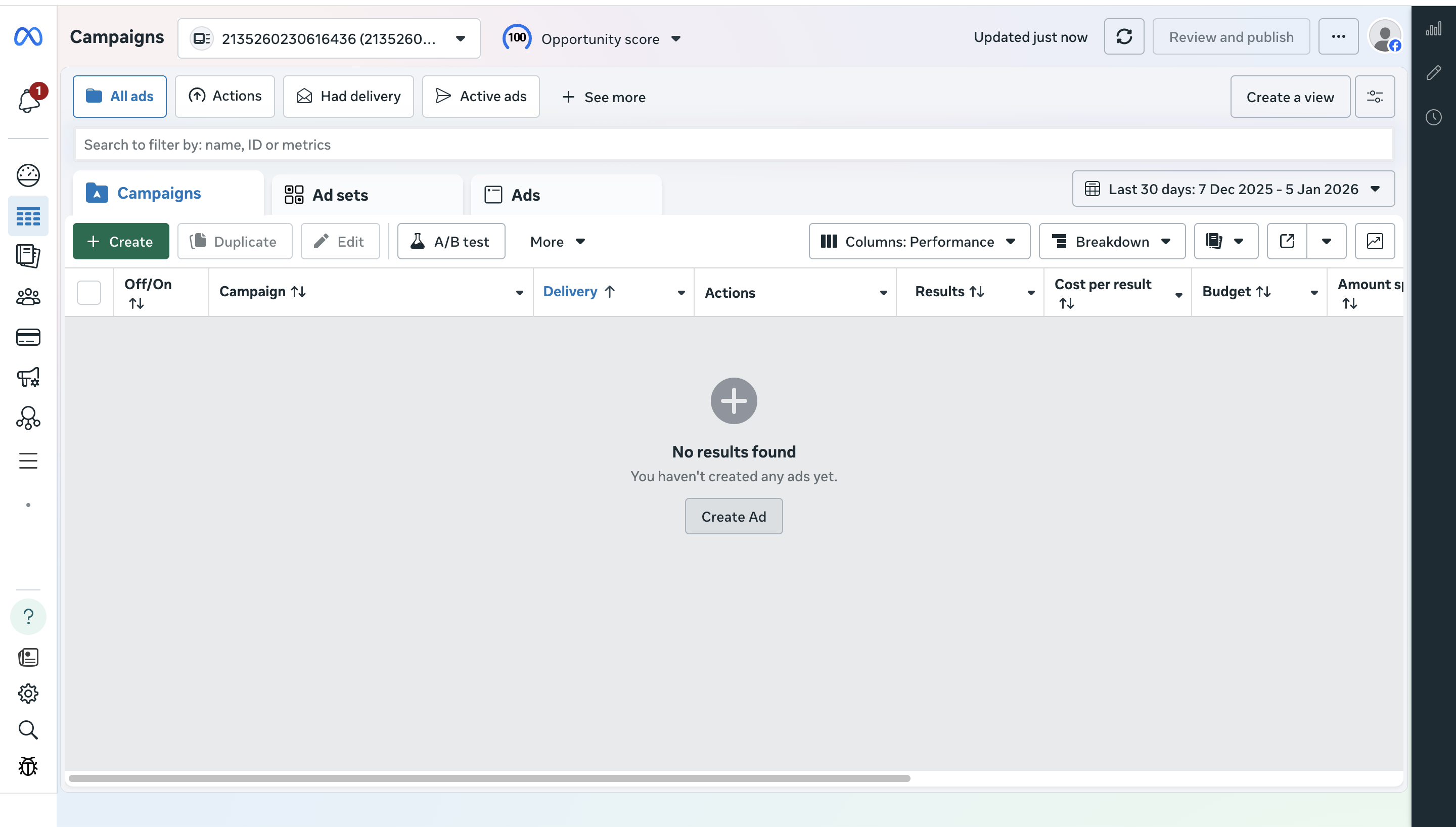
* Open **Meta Ads Manager**
* Create a new campaign
* Click on Create Ad
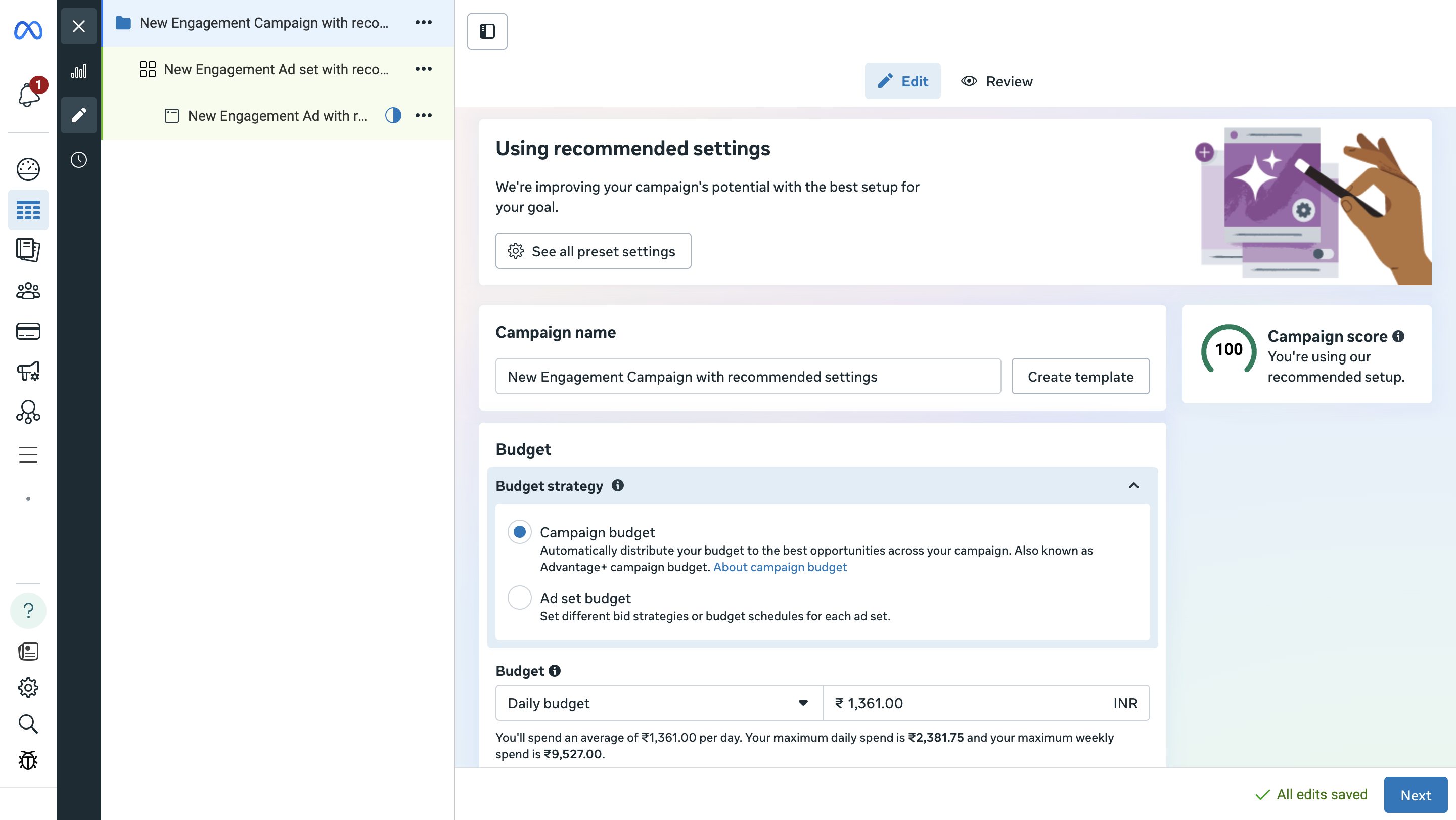
* Choose the **Buying Type** and select the **Campaign Objective** (Recommended: *Engagement* or *Messages*)
* Select the **Campaign Setup** (Manual or Advantage+)
* Choose your **Budget Strategy** (Daily or Lifetime)
* Choose where you want to drive the Engagement
* Under **Engagement destination**, select **Messaging Apps**
* Choose Destination
* Review the settings and publish Ad.
#### Meta Click-to-WhatsApp Ads with BotPenguin
Meta Click-to-WhatsApp Ads allow you to run ads on Facebook or Instagram that open a WhatsApp chat when users click them. When your WhatsApp number is connected to **BotPenguin**, all incoming ad leads are automatically captured in the BotPenguin Inbox with ad-level tracking.
### Step 1: View Ad Leads in BotPenguin Inbox
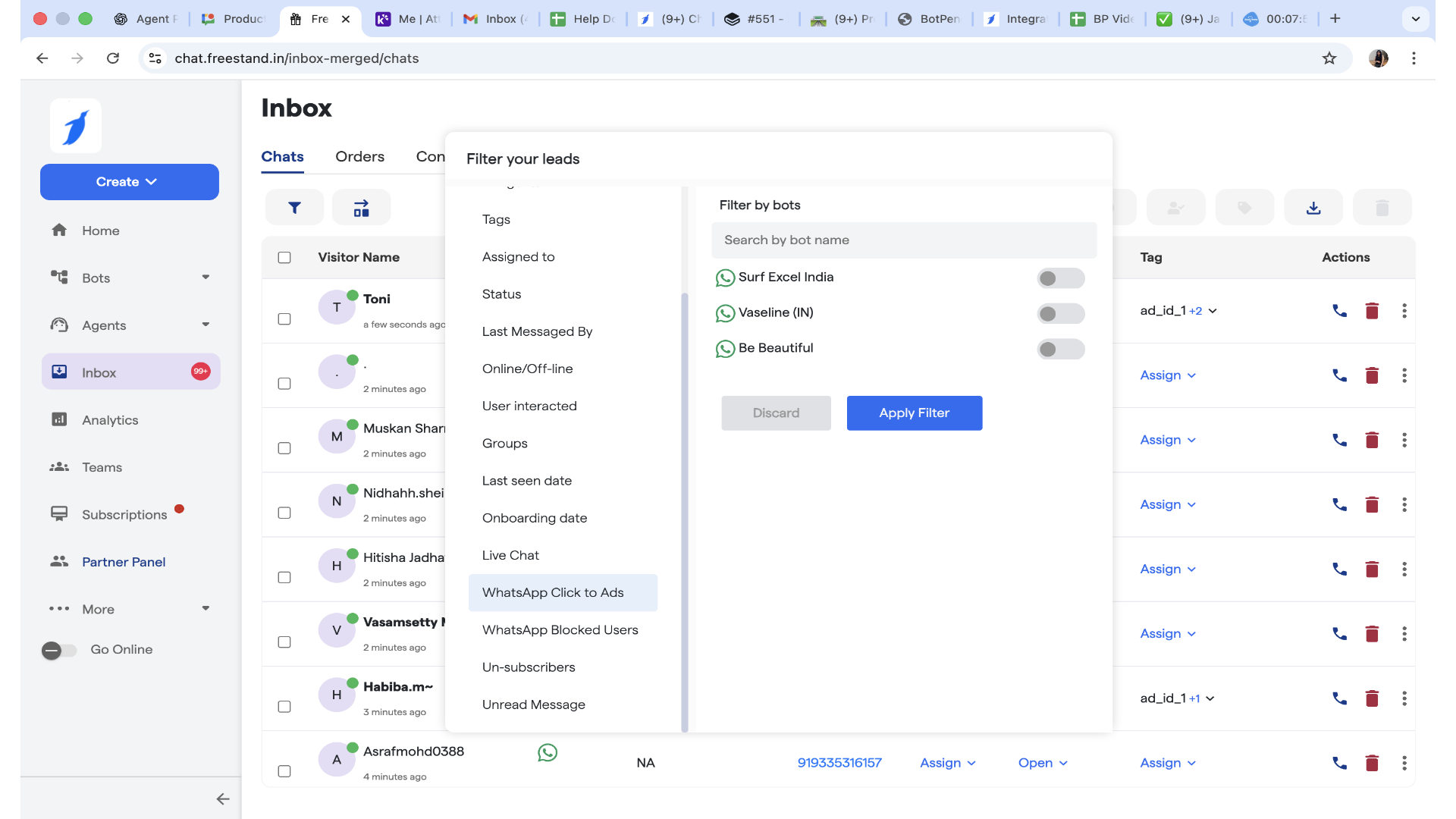
1. Log in to your **BotPenguin Dashboard**
2. Go to **Inbox**
3. All WhatsApp conversations generated from ads will appear automatically
4. Go to Filters
5. Select the Whatsapp Click to Ads option
6. Toggle on the Acquired using Ads.
7. Filter the Chats by Ads.
8. After Filtering Chats are visible according to Ad.
9. At the Right side bottom Details can be viewed by expanding the whatsapp click to ad Details.
### Key Benefits
* Automatic capture of Meta ad leads
* Clear tracking of Click-to-WhatsApp campaigns
* Easy filtering and lead segmentation
* Faster response using bots + live agents
* Centralized inbox for all WhatsApp conversations
***
### Notes & Best Practices
* Always test your ad before scaling
* Use clear CTA text to improve click rates
* Keep bot flows ready for instant engagement
* Tag ad leads for better reporting