> For the complete documentation index, see [llms.txt](https://help.botpenguin.com/llms.txt). Markdown versions of documentation pages are available by appending `.md` to page URLs; this page is available as [Markdown](https://help.botpenguin.com/subscription/whatsapp-only-plans.md).
# Whatsapp Only Plans
This guide explains how to view, upgrade and manage the Whatsapp - Only Plans.
### WhatsApp-Only Plans
The **WhatsApp-Only Plan** is designed for businesses that want to automate conversations, campaigns, and support exclusively on WhatsApp without using AI features.
This plan provides all core WhatsApp automation capabilities, but **does not include AI components** in the chatflow and AI agents.
***
#### When to Choose a WhatsApp-Only Plan
This plan is ideal if you:
* Only want WhatsApp automation
* Do not need AI responses
* Want a lower-cost, focused messaging solution
* Use structured chatflows instead of AI conversations
***
#### What’s Not Included
The following AI features are **not available** in WhatsApp-only plans:
* AI chatflow components
* AI agents
* AI-generated responses
All conversations will work using **predefined chatflows and automation logic only**.
***
#### How to Access WhatsApp-Only Plans
1. Log in to your dashboard.
2. Go to **Subscriptions** from the left menu.
3. Click on the **Plan** tab.
4. Select the **WhatsApp** tab at the top.
5. Browse the available WhatsApp-only plans and switch the toggle to monthly or yearly to view the plans accordingly.
6. Click **Change Plan** to change the plan.
7. Change plan will initiate the plan change request.
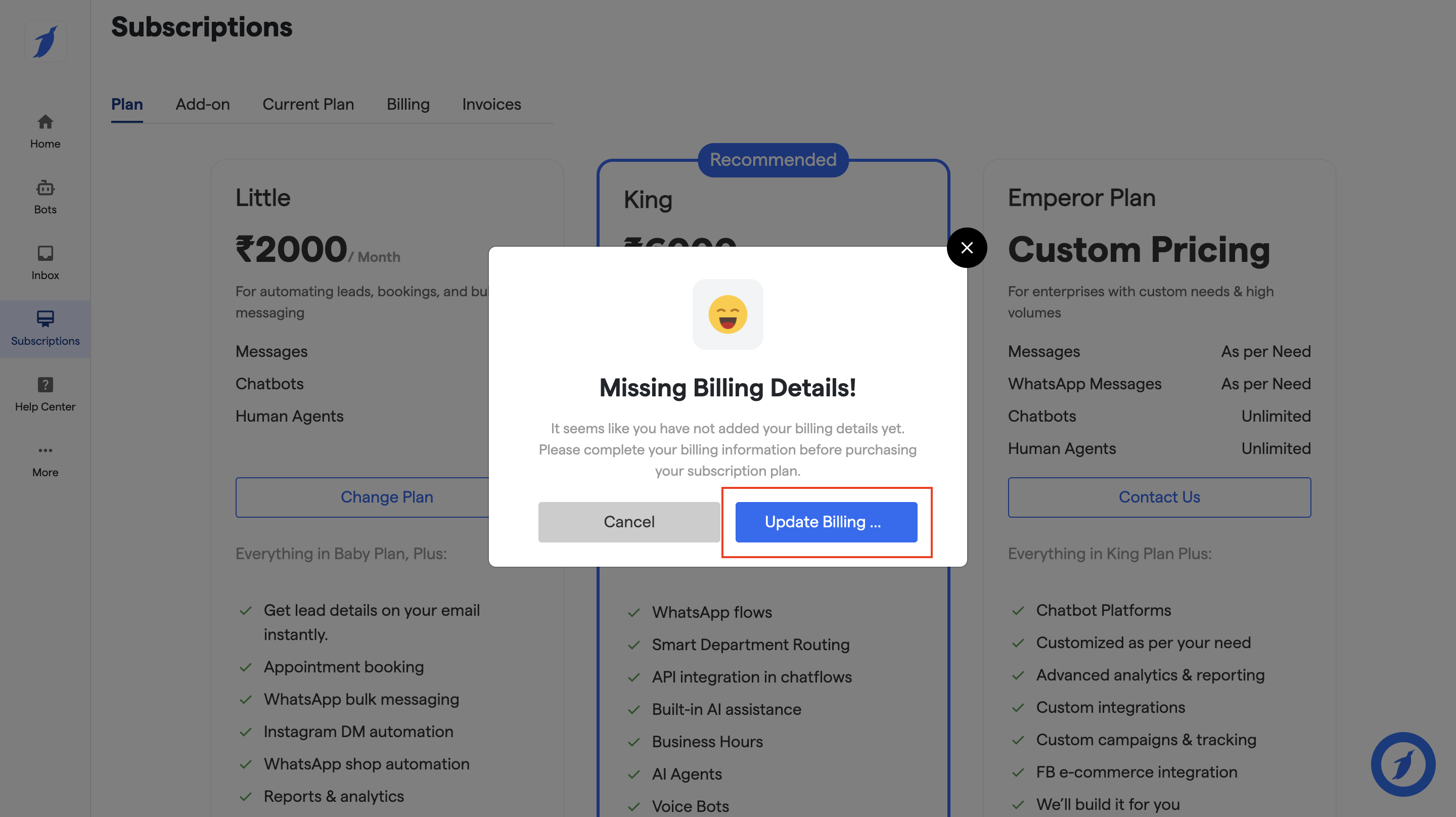
10. A pop-up will appear to add your billing details if they are missing.
11. Click on the **"Update Billing"** button.
12. You will be redirected to the Billing screen.
13. Add your billing address and payment method.
12. After adding the details, go back to the "**Plans"** screen.
13. Select your desired plan and click on "**Change Plan" button**.
14. Click on the "**Upgrade"** button.
15. You will be redirected to the payment gateway.
16. Choose your payment method and confirm the payment.
17. After successful payment, your account will be activated.
***
If you need AI-powered conversations later, you can upgrade to an **Omnichannel** from the **Subscriptions** section.
### FAQs
What is a WhatsApp-Only plan?
A WhatsApp-Only plan is designed for businesses that want to automate conversations, campaigns, and support only on WhatsApp, without using any AI features.
Does the WhatsApp-Only plan include AI features?
No. AI chatflow components, AI agents, and AI-generated responses are not included. All conversations run through predefined chatflows and automation logic.
Who should choose a WhatsApp-Only plan?
This plan is ideal for businesses that:
* Only want WhatsApp automation
* Do not need AI responses
* Prefer a lower-cost solution
* Use structured chatflows instead of AI conversations
How many WhatsApp Business numbers are required for this plan?
You need **two WhatsApp numbers**:
* **Primary number** – used for customer conversations
* **Automation number** – used for campaigns and automation
What happens if my billing details are missing?
A pop-up will appear asking you to add your billing details. You must complete this step before upgrading the plan.
Will my current data or bots be affected after upgrading?
No, your existing data, bots, and settings remain unchanged. Only your plan limits and features are updated.
Can I switch between monthly and yearly billing during the upgrade?
Yes, while upgrading you can choose either **Monthly** or **Yearly** billing based on your preference.
What should I do if my upgrade payment fails?
Try the payment again using the same or a different payment method. If the issue continues, contact the support team for assistance.
### Need Help?
If you face any issues managing your subscription, contact **** from the dashboard or reach out via the official support channels.